
DevEx is an Accumulation of Small Things
Steve Jobs understood experience. He said, “Details matter, it’s worth waiting to get it right”. The corollary to this is that it is worth paying someone to get it right. I feel like in our world of hurry up and get it done we lose sight of this. If you think of DevEx as a cost center, you’re thinking of it wrong. It is a cost-reduction center. Less time spent on the stupid stuff.
We only have one life. We are born with nothing and all we leave behind are memories. Why would you want your developers to have anything other than the best possible experiece working for you?
I live to serve. I swore myself to a life of service at 17 years old. My field, my job, my title have changed many times over the course of my life, but that conviction, to serve, has remained my guiding star ever since.
We serve just like we eat the elephant: one little bit at a time. DevEx is an accumulation of small things:
- Do your developers have the best hardware reasonably possible?
- Do you actively remove obstacles from their path?
- Do you teach them and empower them to remove hurdles on their own?
- Do you pay them enough to take the issue of money off the table?
- Do you encourage their growth?
- Do you acknowledge that your place of business will probably not be the last stop on their career path and support them in achieving their next adventure?
- Do you make doing the work tolerable?
- Do you call out crazy making behavior of external entities that affect their work?
- In short do you make the work fun, fulfilling, and purposeful while actively removing or limiting detractors from the work experience?
One small thing I did today was figure out how to make Rancher Desktop launch on login. I use containers every day at work. So it would be beneficial if Rancher Desktop ran on login for me.
This message is extremely irritating:

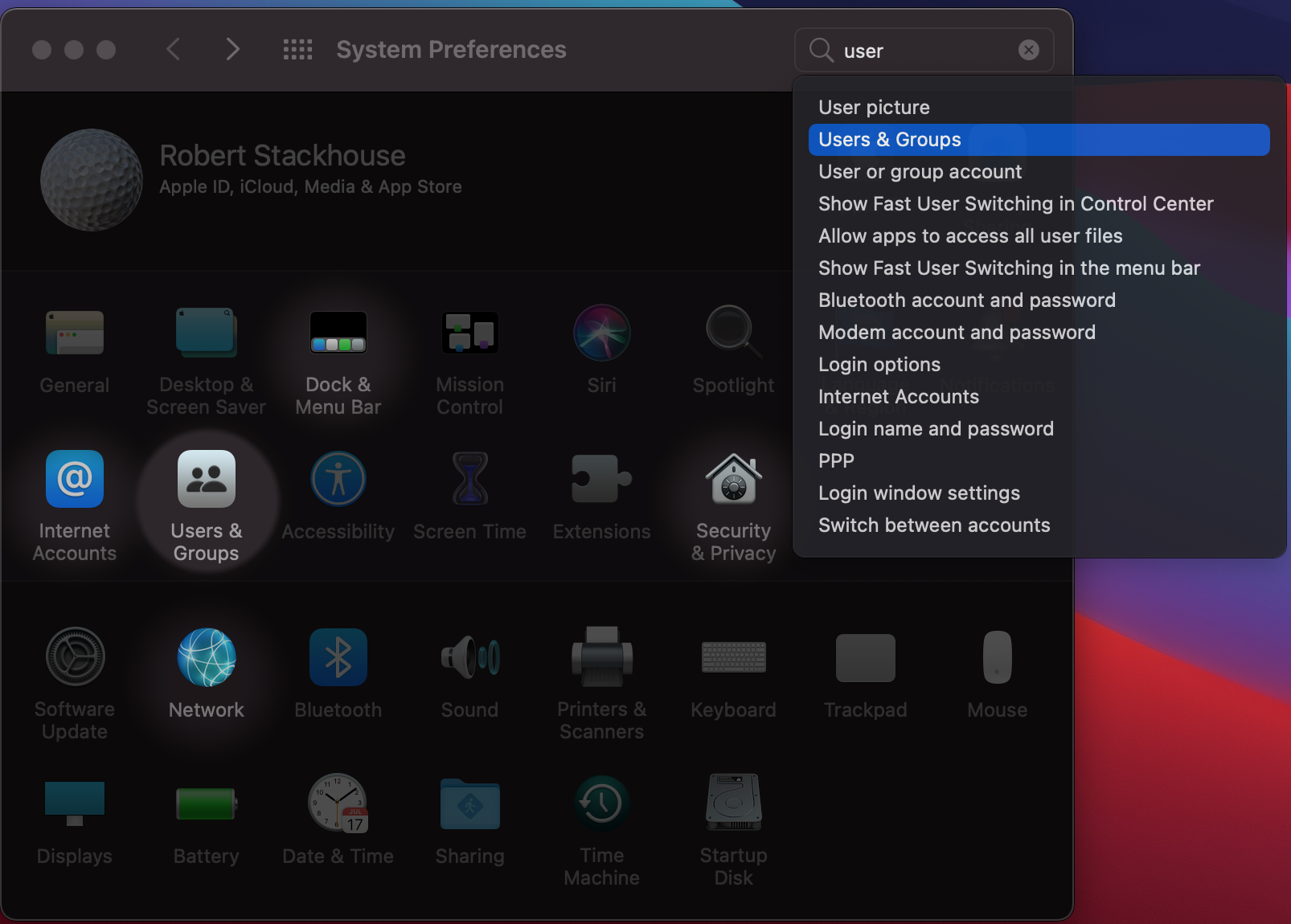
The fix is super simple on macOS (the approach is slightly different on newer OS version, but the concept is the same: you need to find “Login Items” under “System Preferences” and add Rancher to that list).
Open System Preferences. Then find Users and Groups.
Find Login Items.
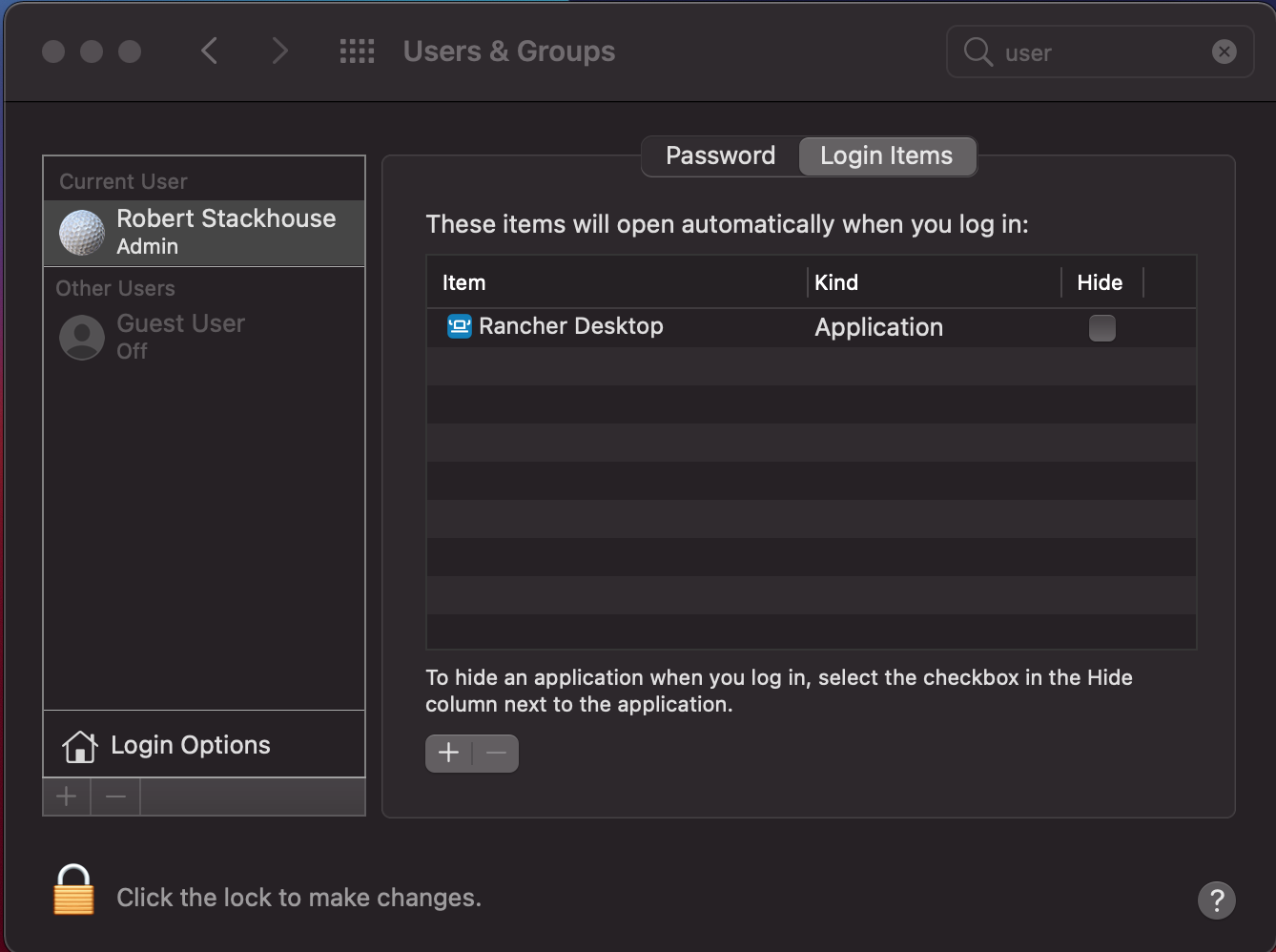
Hit the “+” button. Browse to /Applications/Rancher Desktop. Select it, and the next time you log in to your Mac, Rancher Desktop will start up for you.
I posted the above approach on a team Slack channel, and almost immediately a coworker thanked me for doing so.
Removing a negative is always a positive. As stated in the Tao of Design and User Experience, “[T]he best experience is no experience.” Just like good software, a good developer experience is often about what you leave out of it.
Discussion, links, and tweets

I'm a software developer with 15+ years experience in everything from web, to microservices, to mobile, to mainframe, to PLCs.
Tweet Follow @rstackhouse